
ECU Setup
TPS setup – cable throttle
Calibrate a conventional throttle-position sensor and then recheck any idle setup affected by the throttle stop.
Procedure
- With ignition on and engine stopped, connect SXTune.
- Disable TPS auto-zero for the calibration procedure.
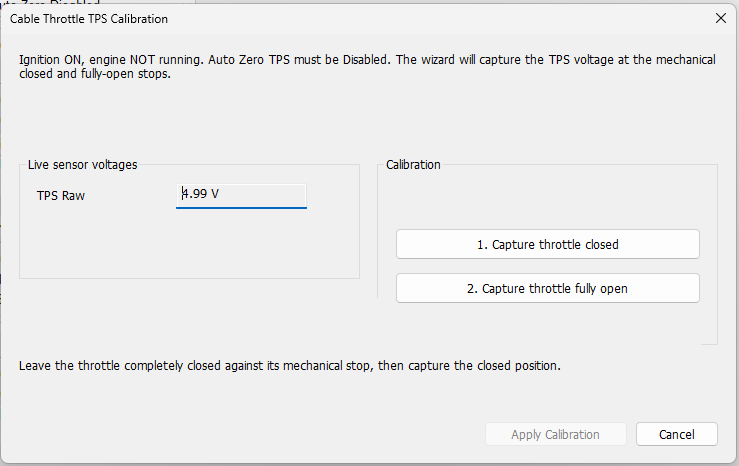
- With the throttle completely closed, record the raw TPS voltage and enter it as the minimum voltage.
- Open the throttle fully to its mechanical stop, record the raw voltage and enter it as the maximum voltage.
- Operate the throttle through its full range and verify that the scaled throttle position moves linearly from 0% to 100%.
- Check that the pedal/cable mechanical stops prevent the cable from being stretched at either end of travel.
If throttle-stop position is subsequently changed while setting idle, repeat the TPS calibration.
Validation
Disable any automatic TPS zero function during calibration. Capture the true mechanical closed and full-open positions and then verify the displayed throttle position moves linearly from 0% to 100%. Make sure the pedal/cable stops prevent cable stretch at both ends. If the mechanical throttle stop is later changed while setting idle, recalibrate the TPS.