
ECU Setup
Crank & cam synchronisation
Configure the crankshaft and camshaft sensor inputs so the ECU can determine engine position reliably, then verify the ignition timing alignment before calibration work begins.
Crank and cam setup
The crankshaft signal provides the ECU with engine speed and angular position. Where a camshaft sensor is used, the cam signal identifies the engine cycle so that sequential injection and ignition functions can be synchronised correctly.
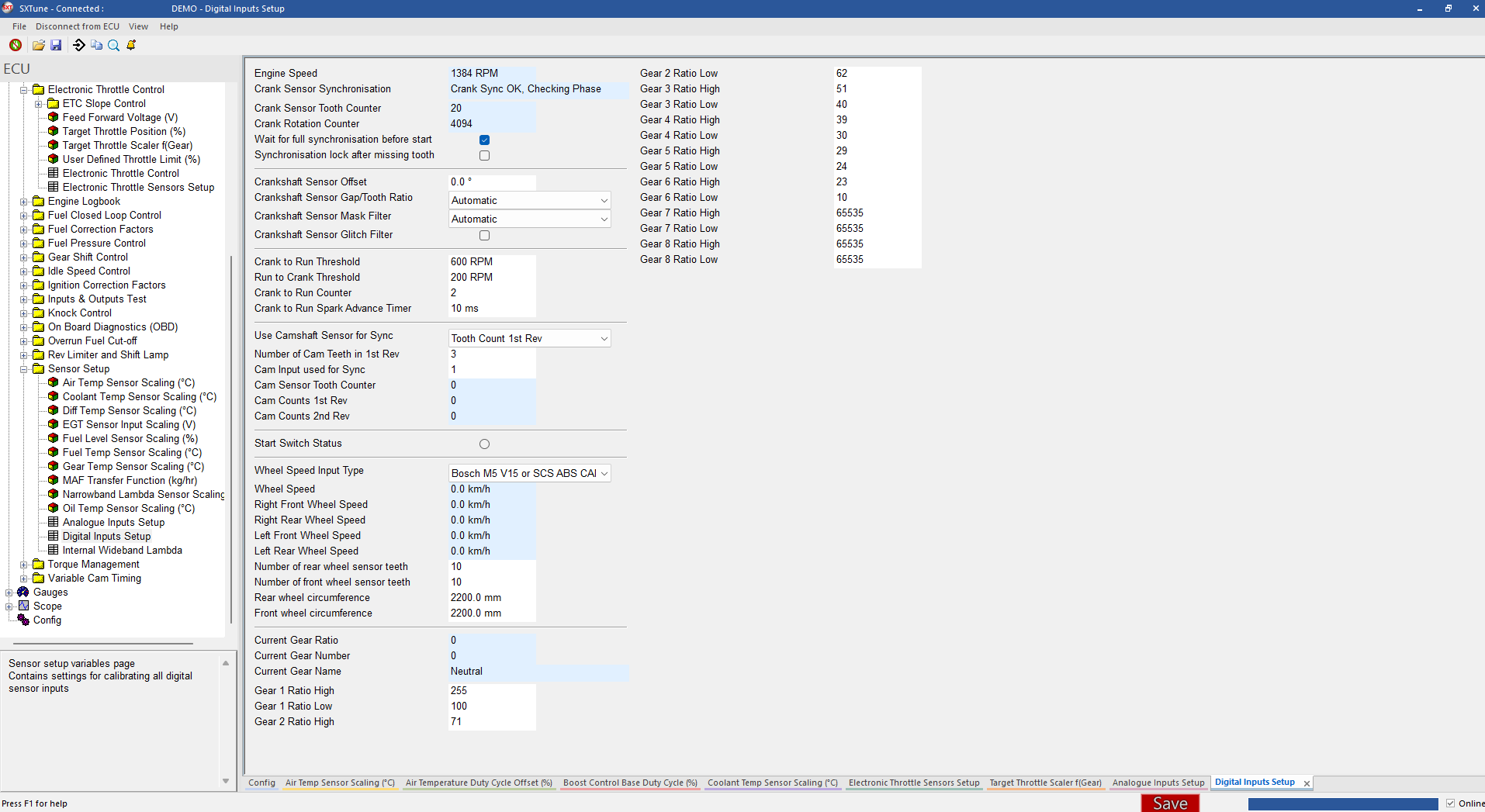
Open ECU → Sensor Setup → Digital Inputs Setup and configure the crankshaft and camshaft sensor settings for the engine installation. With the engine cranking or running, confirm that engine speed is stable and that crank/cam synchronisation is achieved reliably.
Ignition timing alignment check
After the crank and cam sensors have been configured, check that the ignition timing commanded by the ECU agrees with the actual ignition timing of the engine. This is done with a timing strobe while the ECU is holding a fixed ignition advance.
1. Set a fixed ignition advance
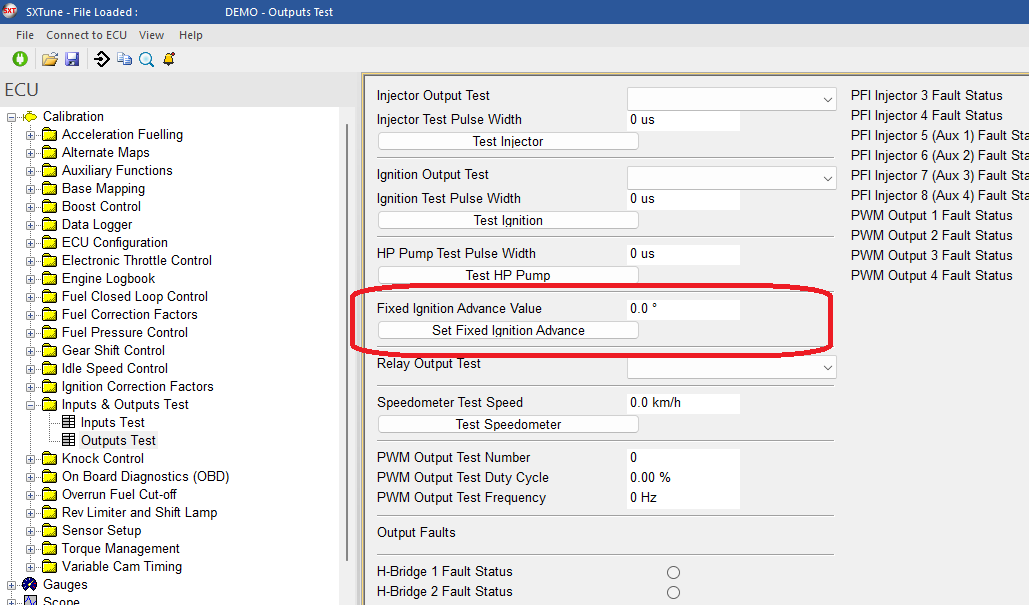
With the engine running, open ECU → Inputs & Outputs Test → Outputs Test. Enter a suitable value in Fixed Ignition Advance Value and click Set Fixed Ignition Advance. The ECU will then hold the ignition timing at the entered value.
2. Check the actual timing with a strobe light
Use an ignition timing strobe on the engine and read the actual crankshaft timing from the engine timing marks. Compare the measured value with the Fixed Ignition Advance Value set in SXTune.
3. Adjust the crankshaft sensor offset
If the measured ignition timing does not match the fixed value, return to ECU → Sensor Setup → Digital Inputs Setup and adjust Crankshaft Sensor Offset. Make small adjustments and recheck the timing with the strobe after each change.
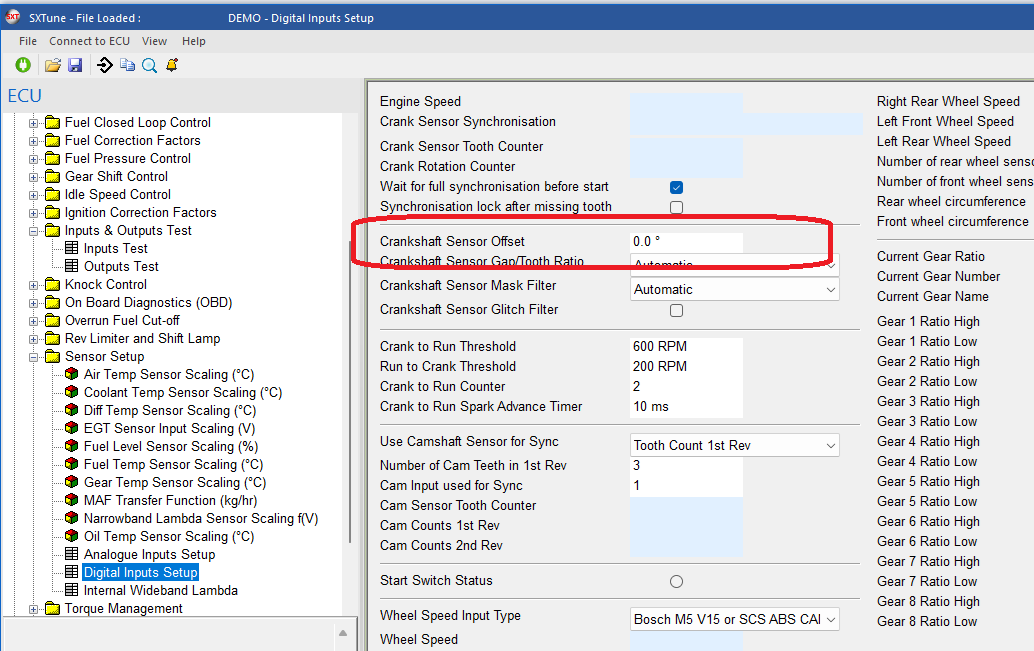
Repeat the adjustment until the timing measured with the strobe matches the fixed ignition advance commanded in SXTune.