Using SXTune
Alarms
Monitor selected ECU or virtual channels and display a prominent warning when a configured condition becomes active.
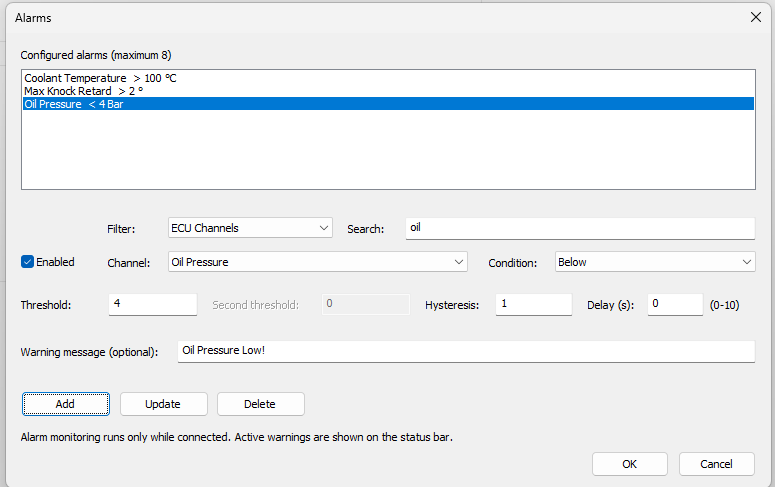
Alarm manager: The alarm manager supports up to eight alarm channels, search/filtering, threshold conditions, hysteresis, delay and persistent per-script-set alarm configuration.
Configure an alarm
- Open Alarms.
- Select an ECU or Virtual Channel using the filter/search controls.
- Select the alarm condition and enter the applicable threshold value or values.
- Set hysteresis to prevent repeated switching close to a threshold.
- Use Delay when the condition must remain true for a period before becoming an alarm.
- Enter a useful alarm message and enable the alarm.
Operation
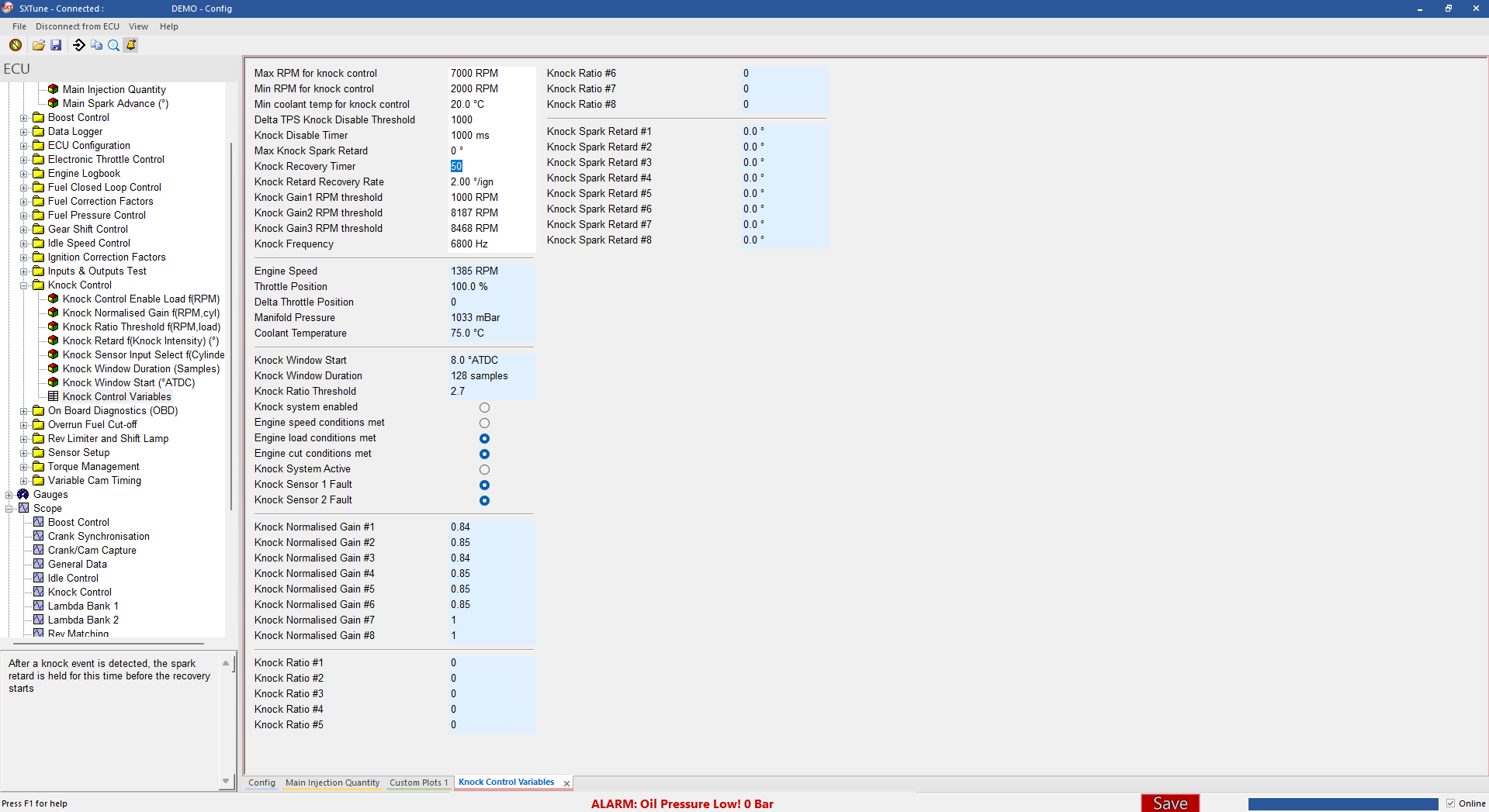
Alarm evaecution runs only while SXTune is online. Active alarms are indicated by the flashing alarm presentation in the main application. Multiple simultaneous alarms are counted and presented together.
Persistence
Alarm definitions are stored in alarms.sxa in the selected script set. They can therefore be configured offline but do not evaecute until an ECU is online.
Alarm interface
Configure the monitored channel, comparison, threshold, hysteresis, delay and warning text in the Alarm Configuration dialog. Active warnings are also presented in the application status area while connected.