ECU Setup
Analogue sensor setup
Scale MAP, pressure and other 0–5 V inputs so the ECU engineering values agree with the physical sensors.
Linear sensors
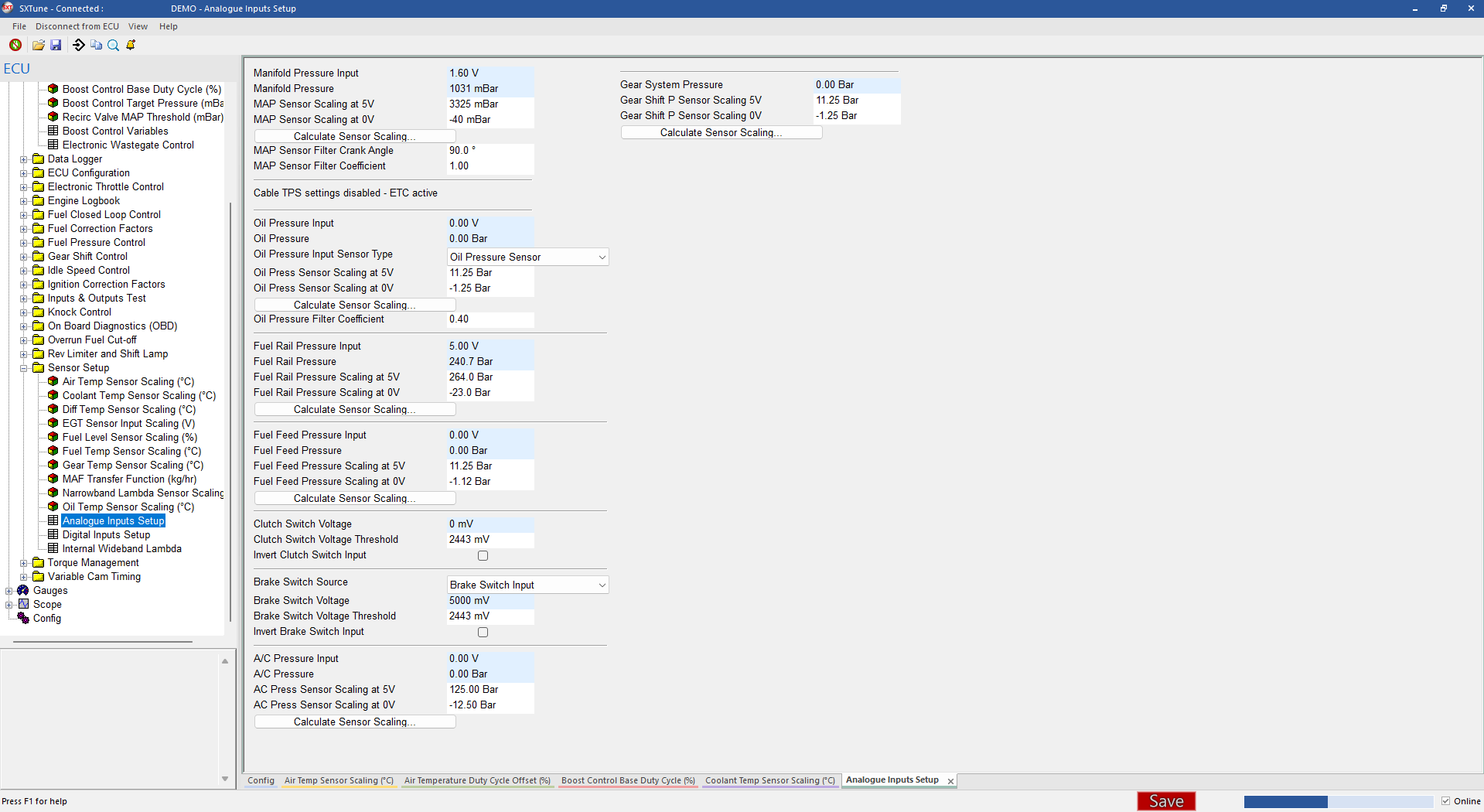
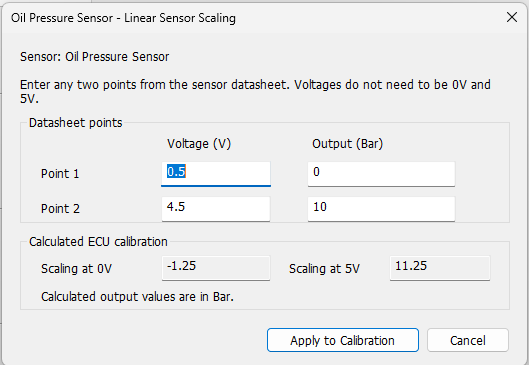
The Analogue Inputs Setup page contains the endpoint scaling for sensors such as MAP. Enter the engineering value corresponding to 0 V and 5 V. SXTune also includes a linear analogue scaling helper for sensors whose published calibration points are not exactly 0 V and 5 V.
Verification
- Check the sensor has the correct reference voltage, ground and signal wiring.
- Enter the manufacturer's calibration data.
- Compare the live ECU value with a known physical reference at one or more points.
- Use filtering only as required; excessive filtering can make a control input respond too slowly.
Analogue input setup
The Analogue Inputs Setup page brings the live voltage, engineering value, sensor type/scaling and the sensor-calculator shortcuts together on one page.