
On this page
USING THE DASH
RPM & warning colours
Set readable display limits for the engine and channels you use.
RPM and colour settings change the display. They do not change ECU protection settings.
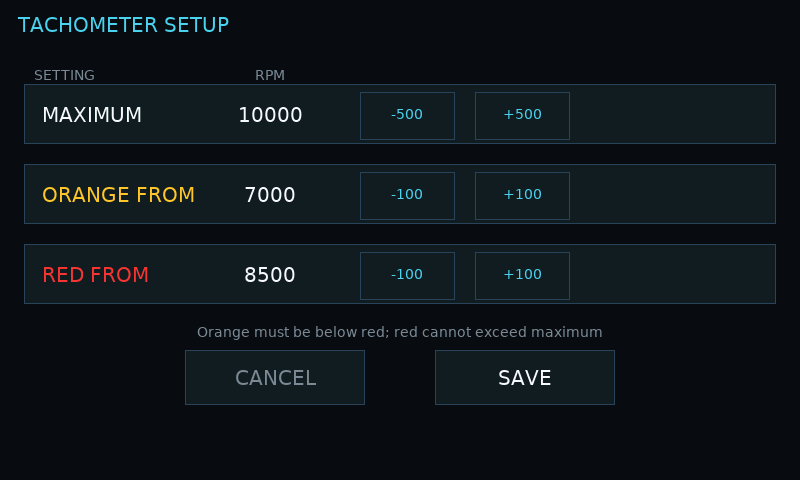
Set the tachometer scale
- On DASH, tap the tachometer/RPM area.
- Adjust MAXIMUM, ORANGE FROM and RED FROM using minus and plus.
- Keep orange below red, and red at or below maximum. Tap SAVE to retain the settings, or CANCEL to leave them unchanged.
Set a channel colour profile
- Tap a tile, choose a built-in ECU source, then select COLOURS if available.
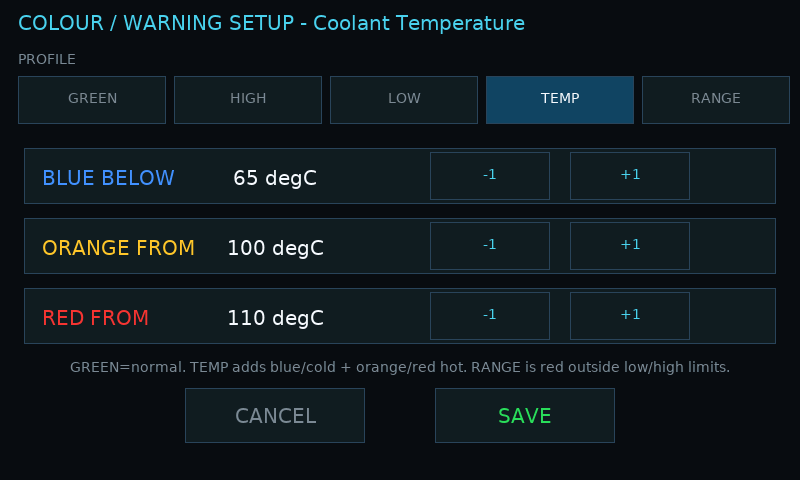
- Choose a profile and adjust its displayed thresholds.
- Save the colour profile. If you also changed the tile source, save the tile assignment separately.
| Profile | Display behavior |
|---|---|
| GREEN | Normal green display without threshold warnings. |
| HIGH | Orange at the first upper threshold, then red at the higher threshold. |
| LOW | Orange at the low warning level, then red at the more severe low level. |
| TEMP | Blue when cold, then normal; orange and red at the upper warning limits. |
| RANGE | Red below the low limit or above the high limit. |
Where colours are available
The COLOURS editor is available for built-in ECU broadcast sources. Do not assume it is available for GPS, Logger Status or the added static-table sources. Set limits in the channel’s displayed units and use values appropriate to the vehicle.