
On this page
USING THE DASH
Dashboard & channels
Choose the six tiles, understand missing values and use the updated selector.
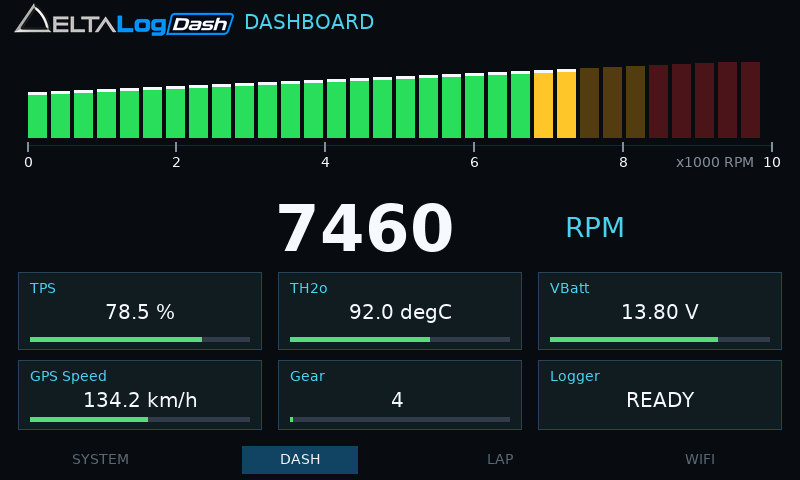
The DASH page has an RPM bar and six independently selectable tiles.
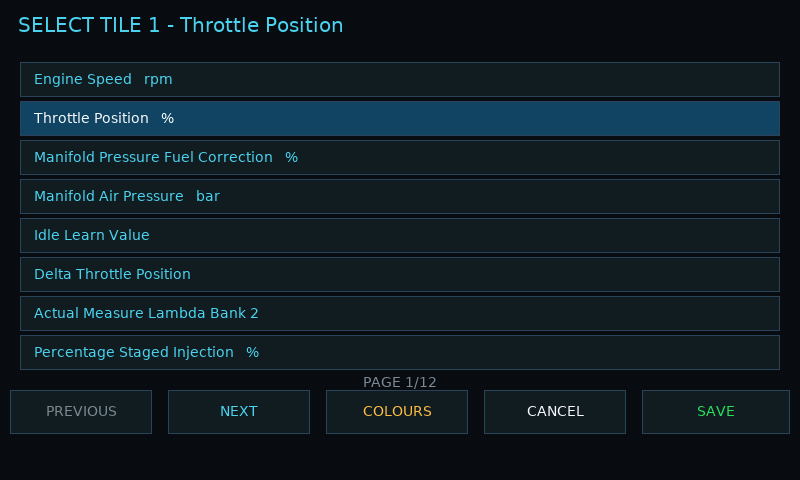
Choose a tile channel
- Open DASH and tap the tile you want to change.
- Use PREVIOUS and NEXT to browse the source list. Descriptions are sorted alphabetically, ignoring case.
- Tap a source row. Use COLOURS where available if you want to adjust its warning profile.
- Tap SAVE to keep the tile assignment. CANCEL leaves the assignment unchanged.
Logged static-table channels
The list includes ECU static-table channels configured for logging with a non-zero frequency. It uses the configured channel name, description, units, scaling and decimal places.
To make a missing static channel available, add/enable it in the SXTune logging configuration, send that configuration to the Dash and reopen the tile selector. Simply choosing a tile does not enable that channel for recording.
These tiles use samples already obtained by the logger. They do not add extra display-specific ECU requests. The logger also obtains static samples while configured and waiting for the trigger. A tile shows -- until the first reply, or after five seconds without a fresh reply.
A saved static tile follows its table ID if the logger channel order changes. Removing or disabling the channel makes that saved selection unavailable until it is logged again.
Broadcast channels and missing data
The built-in ECU sources decode received CAN broadcast messages. CAN ACTIVE means there is bus traffic; it does not prove that every selected channel is being broadcast. Missing or stale ECU data is shown as dashes. Test with a known live signal and check the vehicle’s export configuration.
GPS Speed and Logger Status are also selectable. Keep an eye on GPS fix status on SYSTEM/LAP when using GPS speed.
Demo display
When no live ECU broadcast is available, a DEMO button may appear at the top right. It previews simulated dashboard values. Demo mode is temporary and switches off when live ECU data returns. Do not mistake simulated readings for a recording or a sensor check.
Continue to RPM and warning colours to set the display limits.