
On this page
RECORDING
Download recordings
Retrieve a complete recording and check it before deleting the originals.
Stop recording first. Download the matching DTT and DTD files, keep them together, and open the session in DeltaLog.
Choose a transfer method
| Method | What you need | Instructions |
|---|---|---|
| Wi-Fi | Readable SD card; PC on the same network or Dash access point. | Use DeltaLog’s logger download function. See the steps below. |
| USB serial | Dash in PC USB mode; data cable; compatible PC transfer software. | Select the Dash COM connection in the logger transfer function. See USB downloads. |
| SD card reader | Recording stopped; Dash powered off; PC card reader. | Copy each matching DTT/DTD pair from the card root into the same PC folder. |
Download over Wi-Fi
- On SYSTEM, tap STOP LOGGER and wait for recording to stop. Keep the card inserted and the Dash powered.
- Connect the PC and Dash to the same network, or join the Dash access point directly.
- In DeltaLog, open its logger download function. Select the discovered Dash using the device name shown on WIFI.
- Choose the recordings and a destination folder on the PC. Begin the transfer and wait for completion.
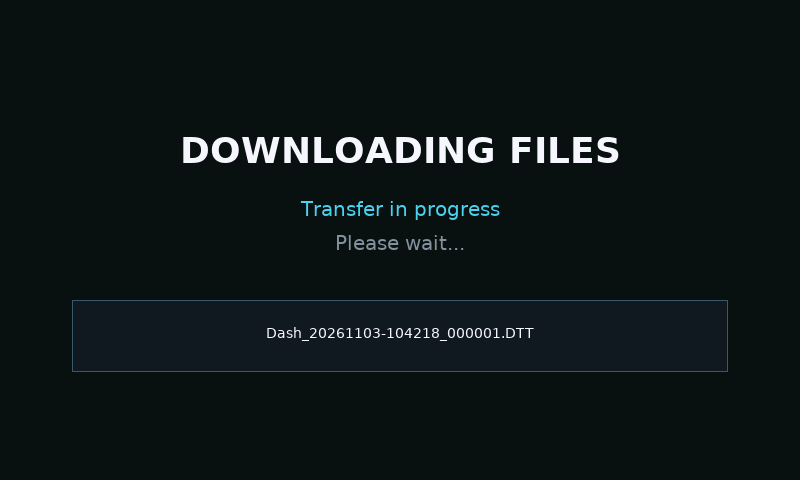
- The Dash shows DOWNLOADING FILES. Its normal display and touch handling are held while streaming; this is expected.
- Open a downloaded recording in DeltaLog. Check that the expected session, channels and duration are present before accepting any delete-after-download prompt.
Keep both files
.DTT contains the recording’s channel/session/lap metadata and .DTD contains the data. Keep the matching base names and both files in one folder when copying, moving or archiving. Do not rename only one half.
If using a card reader, copy the originals before editing or recovery attempts. Reinsert the card with the Dash powered off and check SD READY after startup.
Delete only after checking
Deletion removes the card’s copy. Verify the downloaded session opens correctly and retain a backup first. PC versions may differ in whether and how they offer deletion after download; follow the prompt in your installed software.
If transfer is interrupted
Check the network or USB role, restore the connection and retry the affected session. Do not treat a partial PC file as a successful backup. If discovery still fails, try a direct access-point connection or copy the pair with a card reader.